Recent Posts

Showing posts with label PC. Show all posts

Wednesday, June 20, 2012

Microsoft New Surface Tablet!!

Microsoft Surface Tablets: 5 QuestionsMicrosoft left a lot of unanswered questions after following Apple into the tablet hardware business Monday with its new Windows 8-based Surface PCs/tablets. The software maker introduced the new family of devices during an event in Los Angeles.
Microsoft said the new Surface tablets are meant as companion hardware for Windows 8--the most dramatic overhaul of the OS since Windows 95. Company CEO Steve Ballmer said: "We wanted to give Windows 8 its own companion hardware innovation." Windows 8 is expected to be available in the fall.
The Surface brand was originally used for a tabletop touchscreen computer Microsoft launched in 2007.

Early Impressions Are Positive

Looking at the spec sheet, the new devices sound promising and early impressions are generally positive. The new tablets will come with a 10.6-inch display, a kickstand for tabletop viewing, and a super-thin keyboard case that attaches to the device with magnets.
Surface will come in two flavors: Surface with Windows RT and Surface Pro with Windows 8 Pro. Windows RT is the version of Windows 8 designed for ARM processors; it includes the new touch-friendly Metro-style interface, as well as a limited version of the traditional Windows desktop for running Internet Explorer and Microsoft Office.
Surface tablets with Windows RT will include a micros slot, USB 2.0, and a Micro HD port. The devices will weigh about 1.5 pounds and be about 0.36-inches thick. Microsoft did not say which processor the Windows RT device would have, but did say the tablets will come with your choice of 32GB or 64GB of storage.
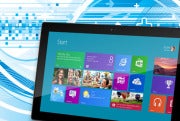
Microsoft Surface tablet with Metro interface
Microsoft Surface tablet with Metro interfaceThe Surface Pro tablets will be Intel-based with access to the Metro UI as well as to the fully functional Windows desktop and will come in 64GB and 128GB versions. The tablet will have a microSDXC card slot, USB 3.0, and Mini Display Port. The Surface Pro will weigh just under two pounds and be about half-an-inch thick.
That's what we do know about Surface, but there are also a few interesting questions left to answer.

How Much Will It Cost?

Microsoft was short on details when it came to pricing the new Surface tablets. The company said the Windows RT version of Surface would cost about the same as comparable slates. Surface Pro, meanwhile, would be priced similar to comparable competitive Ultrabook PCs.
Let's assume that comparable tablets for the Windows RT version mean the market leader, Apple's iPad. So the entry-level Surface models should cost about $600 for the 32GB version and $700 for the 64GB model.
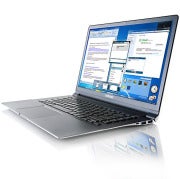
Samsung Series 9How much Surface Pro devices will cost is another issue entirely since Microsoft wants to compete with Ultrabook PCs. When Intel introduced the new class of portable laptops in spring 2011, they were supposed to be priced under $1,000. But that dream is only now becoming a reality with second-generation Ultrabooks.

Samsung Series 9Devices like the Lenovo U310 and 410 are priced at $750 and $800 respectively, Vizio just released a line of Ultrabooks that start at $900, and the base model for Sony's new Vaio T13 costs $800. Will the Surface Pro be priced under $1,000 as well, or will Microsoft reach for a higher cost similar to the Samsung Series 9 ($1,400-$1,500) or the Asus Zenbook Prime UX31A ($1,100)?

When Will It Arrive?

The Windows RT version of Surface is due to come out during the general release of Windows 8, which is expected in the fall, around October. The Surface Pro is scheduled for release about three months later, meaning in early 2013. Microsoft did not offer any specifics beyond these general time lines.

Will Microsoft Ever Give Up on the Digital Pen?

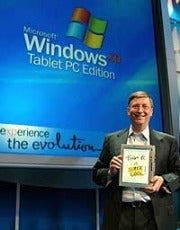
Bill Gates at the 2002 introduction of Windows Tablet PC edition with digital penBill Gates at the 2002 introduction of Windows Tablet PC edition with digital penMicrosoft couldn't resist giving a nod to its legacy tablets (convertible notebooks) by including digital pen functionality with the Surface Pro. But haven't consumers already spoken and said, "Thanks, but no thanks" to digital pen input technology by adopting the finger-driven iPad in droves?

What About 3G/4G Connectivity?

Microsoft didn't say whether the new Surface devices would include mobile data. Perhaps the company didn't want to discuss that issue while it works on developing carrier partnerships for its new tablets. Wi-Fi only devices are great, but many people--especially those looking at the Surface Pro for work--will want the option of a higher-priced device that comes with 3G/4G connectivity.

Will the Surface Fulfill the Promise of Apple's iPad?

Apple's latest iPad tabletWhen technology critics speculate about the future of the iPad, many wonder if it could one day replace the home PC for many users. In some ways it has already done that for users who just want a computer that can do casual Web browsing, e-mail, social networking, and video streaming. There are also some professionals using the iPad instead of a laptop at work, including programmers, journalists, and small business owners.
Apple's latest iPad tabletBut while the iPad is becoming a popular choice for the road, many people are still holding on to their laptops. That could change with Surface and similar devices since they offer a familiarity the iPad doesn't necessarily have.
This is especially true with the Surface Pro: It's a full Windows PC that is still a relatively sleek tablet with a slim travel keyboard designed with touch typists in mind. That means you can take all the programs you use right now and stick them on something the size of a tablet. Even the entry-level version of Surface running Windows RT offers the more familiar desktop interface (albeit with limited functionality) for people who want a basic desktop.

Something Missing

Microsoft Surface in profileMicrosoft Surface in profileBased on what Microsoft has said, however, the one thing Surface may be missing is the consumer-friendly entry-level price point of $500. That appears to be the magic number for people to buy iPads, and tablets that have been initially priced above that have failed to gain much traction: i.e., RIM's BlackBerry PlayBook and the HTC Jetstream.
Perhaps Microsoft will still meet the $500 price with the 32GB version as does the Asus Eee Pad Transformer Prime TF201, but we won't know for sure until Windows RT Surface tablets hit store shelves.
Microsoft is off to a good start with Surface, but we'll have to wait a few months yet to find out if the company's promises will meet consumer expectations.

Monday, June 4, 2012

Bank Trojan: 'Tinba' Burrows into Browsers to Steal Logins!!

 
Researchers have spotted a new banking Trojan subbed 'Tinba' that appears to have hit on a simple tactic for evading security - be as small as possible.
An astonishing 20KB in size, Tinba ('Tiny Banker') retains enough sophistication to match almost anything that can be done by much larger malware types.
Its main purpose is to burrow into browsers in order to steal logins, but it can also use 'obfuscated' (i.e disguised) web injection and man-in-the-browser to attempt to finesse two-factor web authentication systems.
A particularly interesting feature is the way it tries to evade resident security, injecting itself into the Windows svchost.exe and explorer.exe processes, as well as Internet Explorer and Firefox to give itself access to traffic passing through those.
The malware connects to one or more of four command & control domains on an RC4-encrypted channel.
None of this is particularly unusual as malware goes but the getting this sort of feature set out of 20kb (including all injection routines) is the work of a developer that believes size matters and the smaller the better.
Reminiscent of the old-school viruses written in x84 assembler two decades ago, low detection rates among antivirus programs suggest that the technique could herald a new wave of diminutive malware attacks.
Infection levels are unknown but banking malware is often almost invisible until it suddenly isn't as victims come to light.
"Yes, Tinba proves that malware with data stealing capabilities does not have to be 20MB of size," said Peter Kruse of the Danish security firm CSIS that first noticed Tinba.
Kruse is referring, of course, to another piece of malware being celebrated for its enormous size, Flame. Publicised in the same few days, the contrast between little and large is apt - and sobering.

Tuesday, May 29, 2012

Dell Introduces: New All-in-One PCs!!

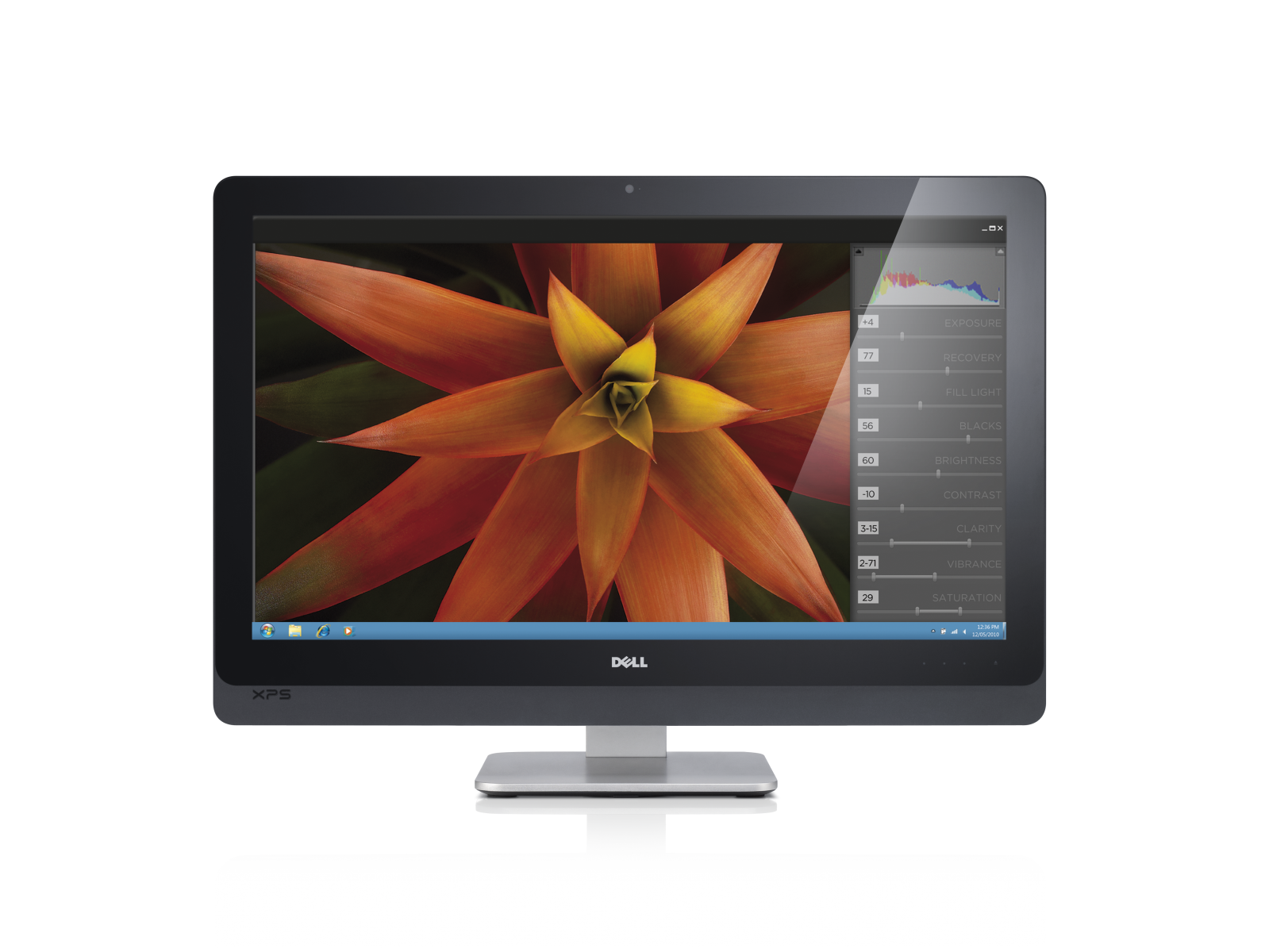
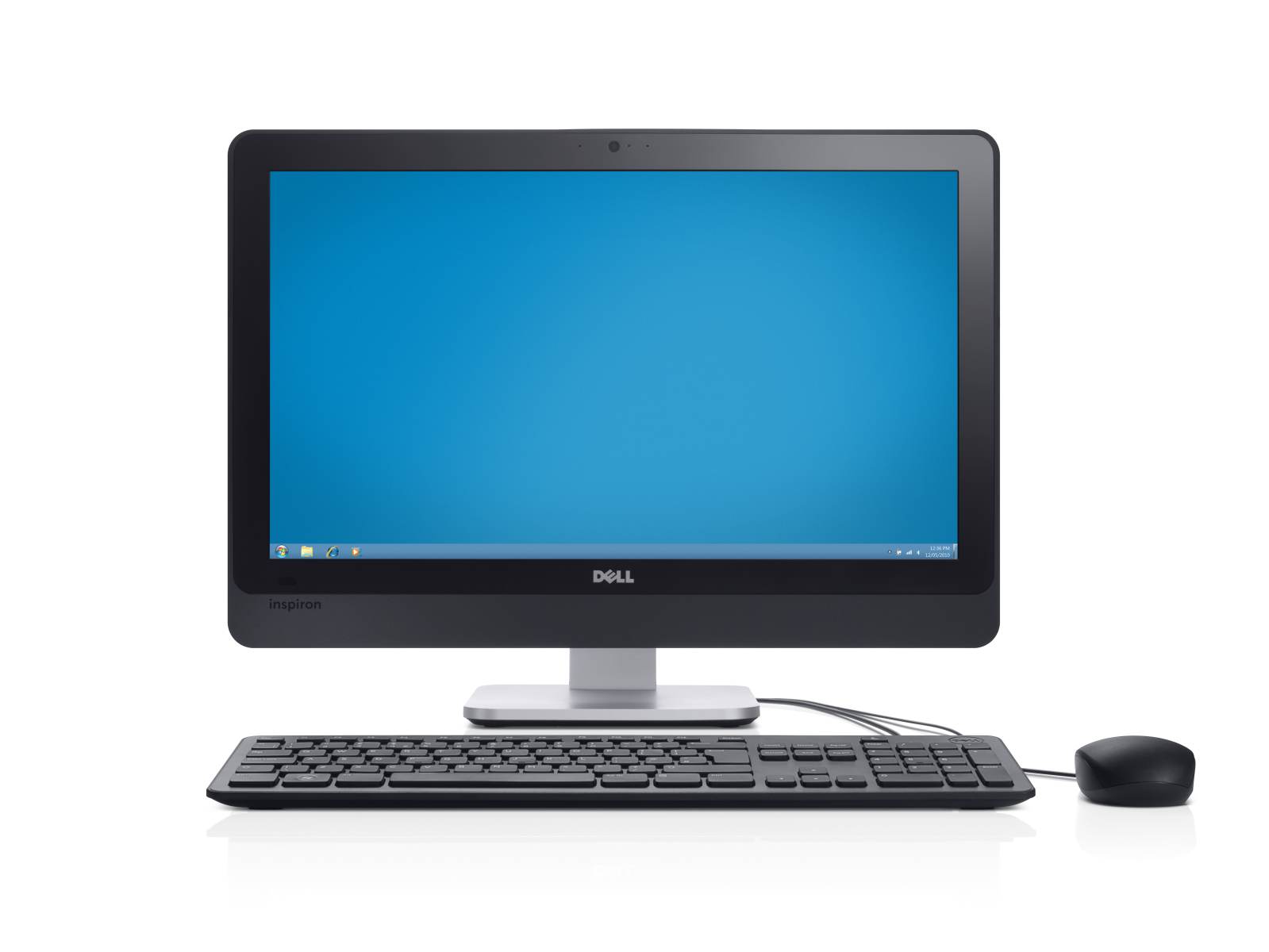
Dell Introduces Three New All-in-One PCsDell has rolled out a new set of all-in-one PCs including a new addition to the XPS lineup for those who want an Apple iMac without actually buying an iMac. The new Windows PCs boast all the features you would expect of a new desktop all-in-one including Ivy Bridge third-generation Intel Core processors, loads of RAM and hard drive space and big, beautiful screens.
But if you're looking forward to touch-friendly Windows 8 later this year, you might want to stay away from these PCs as Dell didn't say one word about touch with its new crop of all-in-ones.

XPS One 27

Dell Introduces Three New All-in-One PCs
Leading the way in Dell's new lineup is the XPS One 27 featuring a 27-inch WLED display with Quad HD 2560-by-1440 resolution. The desktop computer also features a Core i5 or i7 Ivy Bridge processor, 4GB DDR3 RAM, 1TB hard drive, DVD drive (optional Blu-ray upgrade), HD Webcam, Bluetooth 4.0, Wi-Fi, 4 x USB 3.0, 2 x USB 2.0, HDMI in and out, 8-in-1 media card reader, and Windows 7 Home Premium.
The XPS One 27 will be priced at $1,400 at launch.

Inspiron One 23 and 20

Dell Introduces Three New All-in-One PCsThe Inspiron One 23Two new Inspiron all-in-ones are also headed to Dell. The Inspiron 23 features a second-generation Sandy Bridge Core i3, i5 or i7 processor, a 23-inch WLED display with 1080p HD resolution, 2GB DDR3 RAM, and a 500 GB hard drive. Similar to the XPS One 27, the Inspiron One 23 also features a DVD drive (optional Blu-ray upgrade), 4 x USB 3.0, 2 x USB 2.0, Bluetooth 4.0, Wi-Fi, HDMI in, an 8-in-1 media card reader, HD Webcam and Windows 7 Home Premium.
The Inspiron One 20 is rocking an Intel Pentium dual-core or Sandy Bridge Core i3 processor, 20-inch WLED display with 1600-by-900 resolution, 2GB DDR3 RAM, a 500GB hard drive, DVD drive (optional Blu-ray upgrade), HD Webcam, 5 x USB 2.0, Bluetooth 4.0, Wi-Fi, an 8-in-1 media card reader and Windows 7 Home Premium.
The Inspiron One 23 and Inspiron One 20 are priced at $750 and $530, respectively.
All three devices will be available in Dell's U.S. store in the coming weeks.

Friday, May 25, 2012

Max Payne 3 PC-Game: Developer Preview !!


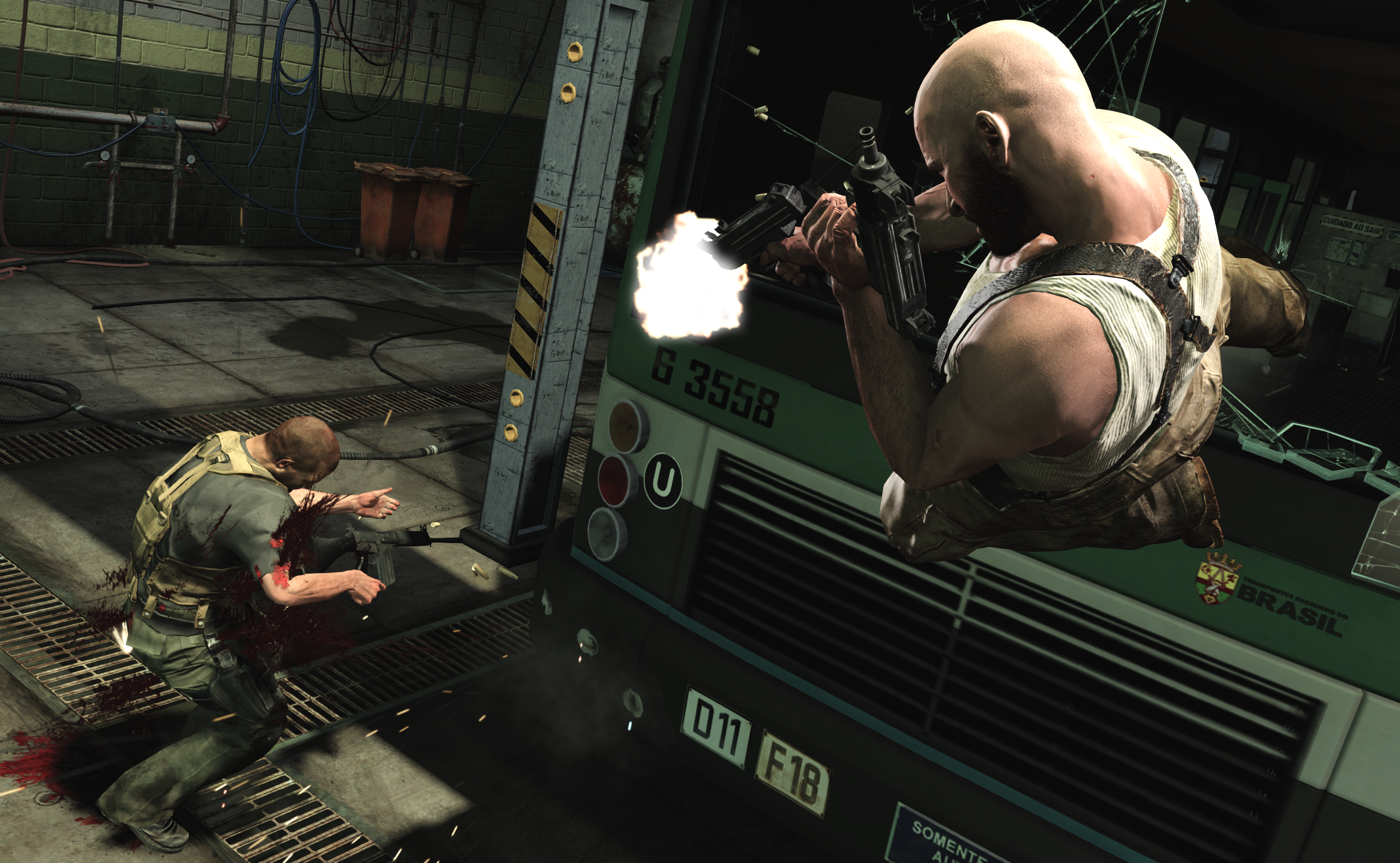
After the success of the console release last week, the PC release of Max Payne 3 is highly anticipated. We caught up with Kevin Hoare, Lead PC Designer on Max Payne 3, to talk about the differences in this long-awaited sequel to Remedy Entertainment's classic nor-inspired action games. There's some good stuff in here, so keep an eye on this space for our upcoming Max Payne 3 review.
Game On: With such a long gap since Max Payne 2, what considerations did you have to take to bring Max up to speed with modern times?
Kevin Hoare: We had to consider what the first two games had accomplished, firstly. Max Payne was an incredibly groundbreaking game at the time in terms of both storytelling and gameplay. In terms of characterization, it was one of the first action games to have a fully developed protagonist - the use of comic-book cutscenes and Max’s noir-inspired internal monologue really put you in his head in a way most action games didn’t do back then. And then there’s the gameplay, which brought that highly choreographed Hong Kong action movie style into videogames by introducing Bullet Time. Bullet Time was never just about slow motion – it was about the idea that you could move and react to every bullet.
Max Payne 3 PC InterviewSo the initial goal was to modernize Max Payne gameplay. Max is a game about choreographed gunplay combined with stylish, fluid movement (both in real time and in Bullet Time). We didn’t want to sacrifice a thing, we wanted first-person precision and ease of targeting but we wanted all the things we love about third-person games in terms of being able to see your character move believably. So thanks to literally thousands of blended animations and physics states, you can aim and move in any direction you want at any time and in a whole range of poses – prone, vaulting over cover, during a shoot-dodge – and you’ll never lose your target, and Max appears to move naturally while you do it. Max can do his classic slow motion shootdodge dive in any direction, and he can now shoot 360 degrees from a prone position. At all times, the character gets out of the way of the reticle in a natural and believable way, and it makes Max Payne 3's combination of shooting and
movement really satisfying to play.
We also implemented NaturalMotion’s Euphoria character behavior system (the same animation egine employed in Grand Theft Auto IV and Red Dead Redemption -- Ed) into Max, more so than we’ve ever done in a lead character before. So Max responds to the world around him more realistically than ever – he’ll brace for impacts by tucking in his head if you throw him toward a wall, or he’ll lean out a hand if you dive him over objects. We also made sure to create separate animations for certain movements in Bullet Time as opposed to real time. We wanted every detail to be as close to perfect as we could get, so Max has a real sense of weight and purpose to the way he moves.
Max Payne 3 has a really intuitive cover system, something that was not around at the time of the original games, but it’s really more of a place to take a break, reload and strategize rather than the core gameplay mechanic. Max still uses painkillers for health rather than regenerating health, so hiding in cover doesn’t have the same advantages it does in a cover-based shooter. You have to keep moving or the A.I. will eventually flank you and flush you out.
Some things do not change – Max is still a pure shooter based on free-aim mechanics, though we do offer a range of aim sensitivities and targeting options for more casual players.
The Max Payne series has always been known for its wonderful art direction and take on the film noir setting; did you find it somewhat difficult to keep creating a new story while still sticking true to the setting you've established?
KH: Not at all. There’s an assumption that the location change meant that we were abandoning the game’s noir sensibilities, but everything about the game is very true to noir; it’s just less about winter in New York (although we have a lot of that too), which is not in itself that attached to noir. We wanted to continue to push Max’s story forward in a way that made sense for the character and the criminal undercurrents at all levels of Sao Paulo society are a fantastic place to put an armed, alcoholic ex-cop with a really troubled past and some serious personal issues. To be honest, to us a drunk, world weary ex-cop working for a glamourous rich family full of secrets (and unwittingly getting involved in a story that is bigger than it seems) is about as noir as it is possible to be.
You have James McCaffrey as not only the voice of Max Payne, but also the model. How different was it to have him taking on both roles for this game?
KH: It really helped to ground everyone’s performance. Suddenly James is not a disembodied voice but he’s there physically performing scenes with other actors, including some of the less stressful stunts. When you see Max leaping around the environments and shouting out as he thuds against a wall or the floor, that’s James. It helped flesh the character out as well – we now still have Max’s great monologues, and we have our own take on motion-comic cutscenes, but they’re also blended with traditional cutscenes to give the game its own unique feel.
This is the first Max Payne title developed by Rockstar Studios (a collaboration of Rockstar Vancouver, Rockstar New England, Rockstar London, and Rockstar Toronto) as opposed to Remedy on their own. How did this change development?
KH: We’ve been working on and off on this game for several years and Rockstar always had a very strong idea of what this game would be – we were trying to make what we thought a Max Payne game should be in the modern era, which is basically the most sophisticated and cinematic action-shooter we could possibly make. Studios share talent on most Rockstar games, but this was the first project that explicitly called it out as complete cross-studio collaboration, overseen by the core team in New York. It’s important that you have a level of consistency across the board when multiple studios work together, and we’re very lucky that the two founders of the company (Sam and Dan Houser) are very much involved in the creative process to keep everything together.
How much did you consult Remedy when you first took on the IP?
KH: We actually published the first two games, so we’ve been working with Remedy and been friends with them since pretty much the inception of both companies; in fact, we bought the IP around the time Max Payne 2 shipped. We remained friends with them since publishing the original two games, so it was natural to share builds with them as the game took shape and they’ve been nothing but supportive, which is a huge compliment. Early on they were somewhat distracted making Alan Wake, but they became more involved later on as their time allowed. For people who really want to glue Max Payne 3 and Max Payne 2 together or just want a refresher course in Max’s backstory, the 3-part comic series we are releasing (written by Dan Houser and Remedy’s Sam Lake) really covers the missing years. You can download the first issue now – issue 2 and 3 are out in the next few weeks.

Max is older and heavier, but you've used that to your advantage and had that affect the gameplay in different ways. What are some of the ways that Max's age changes things up a bit?
KH: There is definitely a sense of weight to the way he moves. Trying to create a third-person game that really felt good and animated beautifully was a massive part of what we were aiming for. That has an impact on gameplay in the sense that we didn’t want him to be an artificial game character that skates on artificial steps – we want his movement to be deliberate and believable. Every step Max takes is a real step; we want people to see the most realistic character we could possibly make on screen.
A while back you released your PC spec requirements. Some of them seem pretty hefty, which leads me to believe that PC was the lead platform. Is this the case?
KH: We didn’t have a lead platform; we opted instead to develop each platform in parallel, with each team focusing on the specific requirements of the hardware as we went along. That way, we could bring out all three versions as close to each other as possible, while still getting the most out of each specific platform. We’re really happy with how that turned out for the consoles, but we’re even happier with what it’s meant for the PC. We’ve closed the gap between console and PC release dates, which is something the community had been wanting us to do for a long time, and the PC version has been tested on a huge range of hardware.
In terms of the original list of specs we distributed, they were the extremes of the entire range that we had tested, from the lowest players could reasonably run, through to the most powerful rigs we could put together. We know that variety and customization is one of the strengths of the PC platform, so if you’re a hardcore PC player with an incredibly customized rig, our game is going to shine on your system. If you’re coming in at the bottom end, you’re still going to be able to have a great time playing Max Payne 3.
To give you another example, here is a more comprehensive breakdown of our recommendation on PC specs:
LOWEST TESTED SPECS
Windows 7/Vista/XP PC (32 or 64 bit)
Intel Dual Core 2.4 GHZ or AMD Dual Core 2.6 GHZ, or better
2GB System RAM
NVIDIA® GeForce 8600 GT 512MB RAM
or AMD Radeon™ HD 3400 512MB RAM
Low Recommended Specs
Windows 7/Vista/XP PC (32 or 64 bit)
Intel Dual Core 3GHz or AMD equivalent
3GB System RAM
NVIDIA® GeForce 450 512MB RAM
or AMD Radeon™ HD 4870 512MB RAM
At this level, you will be able to comfortably run the game at 30 frames per second with a 1920 by 1080 screen resolution.
High Recommended Specs
Windows 7/Vista (32 or 64 bit)
Intel i7 Quad Core 2.8Ghz or AMD equivalent
3GB System RAM
NVIDIA® GeForce 480 1GB RAM
or AMD Radeon™ HD 5870 1GB RAM
At this level, you will be able to comfortably run the game at 60 fps at 1920 by 1080.
Highest Tested Specs
Windows 7/Vista (64 bit)
Intel i7 3930K 6 Core x 3.06 GHZ
or AMD FX8150 8 Core x 3.6 GHZ
16GB System RAM
NVIDIA® GeForce® GTX 680 2GB RAM
or AMD Radeon™ HD 7970 3GB RAM
Of course, higher-spec rigs than those that we tested should also have no problem with the game – these tested specs are our way of letting everyone know that a massive amount of work has gone into ensuring that nearly any PC in this range will be able to run the game comfortably.
Fans want to know: will we be seeing more drug nightmare scenes in Max Payne 3?
Given all that Max has been through, the amount of booze and painkillers that the man has taken to try and block out the events of his life, and the predicament that he finds himself in once he arrives in Sao Paulo, it’s safe to say that his life becomes something of a nightmare. We relay that feeling to the player not just through one level, but through Max’s experiences as you progress through the game.
What are you doing to take advantage of the powerful hardware available in a PC?
As you can see from the specs list above, we’ve worked hard to make sure the game will run smoothly on a wide range of PC builds. But it’s when you get towards the top end of that range that you can really push a game to its limits, and the game will look and run incredibly on the most advanced current machines around at the moment and well into the near future.
You’ll find that screen resolution is scalable, there’s triple and even sextuple monitor support which helps to run higher screen resolutions, there’s various anti-aliasing options, scalable water quality, scalable shadow quality, increased detail for characters and vehicles and a scalable texture filter that further increases visual quality. We’re also supporting DX11 with Max Payne 3, with features including Hull/Tessellation/Domain Shaders (which adds curvature to the character/vehicle models), Gather4 (for optimized shadow sampling / FXAA), Geometry shader / Stream Output and DX11 texture samplers to name a few.
As you can tell, there’s a lot for PC fans with higher-spec hardware to sink their teeth in to.
35GB is a pretty hefty install size, even for a PC title. Why the large size? Are we seeing HD textures or better rendered cutscenes?
Both, and more. As we said earlier, one of the goals with Max Payne 3 on PC was to have a game that runs beautifully out of the box on day one across a wide range of machines. The PC is the only platform where you can really max out the high end if you want to, and we wanted Max Payne 3 on PC to have the potential to look beautiful on the highest possible resolutions on the biggest monitors available - so while we can still scale performance down to suit even reasonably low-end rigs, every asset is available at the highest resolution possible, from audio to video to textures.

The installed size of Max Payne 3 is due to the no-compromise quality of its assets, which already push console disc space to the limits. A good portion of the extra space requirements on PC can be attributed to the increased size of the textures, which are four times the size of those on consoles. In addition, the audio quality is significantly higher than the consoles due to lower compression rates, which improves audio fidelity. Again, this comes back to the range of possibilities that the PC platform opens up for us. That, combined with higher video settings when running the game, results in substantially better visual quality.
Assuming that there's full gamepad support, do you find that the gamepad works as well as the mouse and keyboard in Max Payne 3?
Correct, there is full gamepad support with Max Payne 3. We also wanted the kind of customizable options you get within a PC game to transfer over to the gamepad so players will be able to completely fine-tune the aiming mechanics to tailor them to their playing style and preference, something that PC gamers have come to expect with mouse and keyboard controls. You can change the reticule, alter the horizontal and vertical reticule speeds, remove or amend kill indicators, not to mention selecting your preferred aiming mechanic. It’s also worth mentioning that console players will also have these options; everything within this game across all platforms is about customization and player preference.
Thanks for reading, and keep an eye peeled for the PC version of Max Payne 3, which debuts on June 1st. Stay tuned for our full review!

How to Troubleshoot Your PC: A Hypochondriac's Guide !!

How to Troubleshoot Your PC
According to the universal law articulated by Edward Murphy(we're not closely related), anything that can go wrong will go wrong. And when the wrong thing happens to your desktop PC, it can plunge you into a nightmare of unknown but seemingly malevolent forces. It's pretty easy to tell that something has gone wrong with your system. What once was fast is now slow; what once worked is now blue-screening; what once smelled okay or sounded fine now imparts the odor of overheated plastic or the screech of grinding metal gears.
Often, you have no idea how to cure what ails your system--or how severe the damage might be to your data or your hardware.
It's difficult to solve all possible system problems via the written word, as individual situations may vary just enough to make generalized advice problematic. However, if you're looking for some generally useful ideas on why your computer is misbehaving--and some potential fixes for certain common and unpleasant problems you might encounter--look no further than this handy troubleshooting guide to ten all-too-frequent system malfunctions.
Remember: If it looks like a software issue, the nuclear option is to save your data, wipe your drive, and reinstall your operating system. If it's a hardware issue, a trip to the store might be in your future.

My Hard Drive Is Making Grinding Noises

Uh-oh. There are several reasons why your hard drive might be making odd noises: The heads might be bumping the spinning platters, or the heads might be unable to find the data they're looking for (due to disk errors or a problem with the head itself), resulting in an audible clicking sound as the disk resets and tries to read the data once again.
Even if you know nothing else about hard drives, you need to know this: Unpleasant noises (including the infamous "Click of Death") are an early sign that your drive is nearing the end of its life. It could die in 5 minutes or in five weeks. So back up your files to external storage as soon as you can--before the files become unreachable--and start scanning your favorite retailers for deals on drives.

My Computer Takes Minutes to Respond When I Click Something

System Configuration screen; click for full-size image. 
Typing 'msconfig' into your Run window yields a list of applications that launch at system startup.This symptom is something of a wildcard. Your system might be suffering from limited resources, particularly memory, or from too many apps running concurrently (as evidenced by tons of icons in your tray). The issue tends to arise more often with 32-bit operating systems than with 64-bit ones. Check your System Properties screen (reachable via your PC's Control Panel) to confirm that the amount of memory listed is correct.
Launch msconfig (type msconfig into your Run window, and press Enter) and examine the list of apps that launch as Windows starts up. Disable unnecessary apps and services; perform a Google search of any unfamiliar names to see whether you can safely remove them.
Device Manager screen; click for full-size image.In Windows' Device Manager, look for unknown devices; if you find any, install their drivers.Another possibility is that your system may be suffering from a driver conflict: Consider uninstalling drivers in Windows and then reinstalling them for your essentials (video card/sound card/motherboard/connected devices); or check Windows' Device Manager for any unknown devices, and then install their corresponding drivers.
Finally, you can try rebooting your computer into Safe mode and subjecting it to a scan for viruses and other malware--it never hurts!

During Shutdown, a Message Appears That Says 'Other People Are Logged On to This Computer'

This situation arises when you have multiple user accounts on your system and someone--for whatever reason--switched out of one of them but didn't log off before you logged in to your account. To clear up the misunderstanding, switch back over to that account by clicking the Start button and then clicking the arrow to the right of the lock icon in Windows Vista, or the arrow to the right of the 'Shut down' button in Windows 7. Click the active account, log out, and then resume the shutdown process from your main account.
Another option is to press Ctrl-Shift-Esc to access your Task Manager and then to click the Users tab to see any other accounts that are logged in to your system.
Another possibility is that Windows could be referring to you as "another user," if you are logged in to your system but are trying to shut down your PC from your logon screen.

Beep Codes Sound While My System Is Booting Up

Diagnostic LEDs; click for full-size image.
Some motherboards that lack beep codes instead have diagnostic LEDs that perform a similar function.Most motherboards provide some kind of auditory feedback to help identify a crippling issue that you're having with your PC--assuming that you've attached the requisite speaker to your front-panel headers (if your motherboard doesn't come with one built in). Depending on your machine, one beep might mean, "All is well!" A number of sequential long beeps might indicate that your video card is improperly seated in its PCI slot. One long beep followed by nine shorter beeps might signal that your BIOS has a ROM error and that you should probably clear the motherboard's CMOS.
Easy enough, right? Unfortunately, you'll need to have a second computer on hand to do a bit of online research: Not all motherboards use the same beep codes, and the manual that came with your part or system may not list the codes that it uses.
Worse, some motherboards lack beepers or speakers altogether, though they usually do have internal connectors for speakers. Such motherboards usually have diagnostic LEDs on the motherboard that provide the same information, but you'll have to open the case to see them.

My System Won't Start at All, and Pressing the Power Button Has No Effect

Power supply switch; click for full-size image.Some power supplies come with an on/off switch. Don't forget to flip it on.Hello, hardware issue. Did you just finish working on the inside of your system? Did you remember to flick the switch (if it exists) on the back of your power supply to turn the juice for your rig back on? Did you turn on the surge protector or power strip that your system may be plugged in to?
Motherboard power button; click for full-size image.If your system's motherboard has a power button on it, press the button to see whether it will start your PC. If those items check out, try reseating your cables in case something internal got bumped out of place or left not-all-the-way connected. If your system is still unresponsive, try removing and reconnecting your video card, your RAM, or even your CPU and cooler.
Your power supply is another possible culprit. Use an inexpensive power supply tester (these run $10 to $20) to verify that your power supply is working. And remember to check the switch itself to see whether it is properly connected to the motherboard's front-panel headers. I've seen the tiny connector that attaches the power button to the motherboard work its way loose, for example. If your motherboard has a power button on it, press that button to see whether it can start your system.

Tuesday, May 15, 2012

Thinnest 4G Ultrabook in The World: Lenovo!!

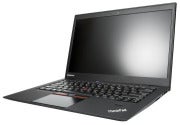
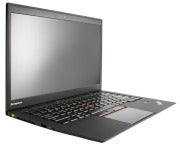
Lenovo on Tuesday announced a range of new ThinkPads with Intel's latest third-generation Core processors, including a ThinkPad ultrabook that the company claims is the "thinnest ultrabook in the world."
The ThinkPad X1 Carbon ultrabook has a 14-inch screen, weighs under 1.8 kilograms and is 18.8-mm thick. It will have the latest Intel ultrabook processors, code-named Ivy Bridge, which are expected to be officially announced next month.
Lenovo also updated the popular ThinkPad T-series and X-series lineups, making them faster while adding more battery life to the models. The company also has new connectivity and multimedia capabilities that could be helpful for business users. The laptops will be available on June 5.
For the first time 4G mobile broadband connectivity has been added across ThinkPads, including the new X1 Carbon ultrabook, said Dilip Bhatia, vice president and general manager of the ThinkPad business unit. The service will initially be available in the U.S. and some other countries for US$1.99 for 30 minutes. Lenovo is partnering with telecom carriers worldwide to make the service available to ThinkPad customers.
The company did not share pricing for X1 Carbon, but said the system will become available in the coming months. The ultrabook's pricing could be in the ballpark of the company's existing ThinkPad T430U ultrabook, which starts at $849, Bhatia said.
The X1 Carbon ultrabook will be part of the existing line of thin-and-light ThinkPad X1 laptops. Many top PC makers are releasing ultrabooks. Last week Hewlett-Packard announced the Envy Ultrabook for consumers (starting at $749) and EliteBook Folio 9470M ultrabook for businesses ($1,149). Dell and Acer are expected to start selling ultrabooks in the coming months.
The ultrabook and new laptops will also have improved voice-conferencing capabilities, with dual-microphone and web cameras that can track a moving face. Also included are noise cancellation capabilities, which could be helpful in removing keyboard typing sound while in videoconference, Bhatia said.
The new ultraportable ThinkPad X230 model has a 12-inch screen and is available with an optional slice battery -- a flat, extended battery that can be attached under the laptop -- that could give the laptop 24 hours of battery life. The laptop is less than three pounds with a six-cell battery. The new X230T model is just like the X230, but includes a touchscreen, giving it the flexibility of a tablet computer, Lenovo said. The X230 starts at $1,179, while the X230T starts at $1,479.
Lenovo has also updated the popular T-series lineup with the ThinkPad T430, T430s and T530 models. The laptops will have optional high-definition displays and offer 30 hours of battery life with an optional slice. The laptops will come with either with 14-inch and 15-inch screens, and the T430 starts at $879, the T430S at $1,399. Lenovo did not immediately provide a price for the T530.
In addition to offering new chips, the mainstream ThinkPad L430 and L530 laptops -- both starting at $879 -- are thinner, and available with either 14-inch or 15-inch screens.
Lenovo is also introducing a docking station that will have five USB 3.0 ports, always-on mobile charging and multiple video-out ports. The price for the docking station was not immediately available.

Saturday, May 12, 2012

Is Your WiFi Slow? Fix It Now, Get Fast !!

The first 801.11ac chipsets are coming soon, but 802.11n is likely to stick around for many years to come -- both in the business world and our homes. Unfortunately, the 300Mbps (megabits per second) that the n-standard promises rarely delivers anything even close and proves to be a massive bottleneck in the days of 50/100Mbps (or more?) broadband connections, 1080p video streaming, massive backups and so forth. On the business side of things, even menial tasks such as remote desktop or real-time collaboration suffer from a poor Wi-Fi-connection.
[ 8 free Wi-Fi security tools ]

Download The Avengers 2012 TS, Click Hare
In some of our tests, it wasn't uncommon that a 802.11n connection with devices only a few meters apart (and with only wall in between) can fall back to a mere 2-15 Mbps. And here's where you run into problems:
· 0.5-2 Mbps: Is enough for all your basic chatting and mailing services, though it will slow down some content-heavy websites -- especially if you've got a 20+ Mbps downpipe.
· 4-5 Mbps: Enough for handling all websites and basic video streaming.
· 20+ Mbps: This is the minimum you need to even consider HD streaming. Even though, the typical bitrate of a 720p iTunes TV show is 2-6Mbps, your router needs to compensate for dropouts, other connected clients and prebuffering.
· 50+ Mbps: Enough for 1080p movies and over-the-air backups.
If you're sick of slow Wi-Fi speeds but hate to go back to Ethernet, we've got a handful of tips that'll help boost weak signals.
1. Check your router's eco settings
Some routers are set up with their "Power savings" mode on by default. The goal: save a few milliwatts. Unfortunately, this commendable approach reduced bandwidth disproportionately. Although my trusty Linksys WRT610N router wasn't set up with unnecessary power savings in mind, I turned on its low power modes just to see the effects:
If you value bandwidth over minimal power savings, check out the router's setting and look for entries called "Transmission Power" or various Eco modes. Turn them OFF. Also, do check if your router sports some sort of "Automatic" transmission setting. You may want to turn it off and go "100%" all the time.
2. Overcome the laws of physics
Unfortunately, the laws of physics sometimes stand in the way of proper wireless bandwidth and signal strength (where can I file a complaint?). First of all, the distance between your router and the wireless adapter is a more relevant factor than you might think. Here's a rule of thumb: Just by doubling the distance between router and client you can expect throughput to shrink to one-third of its original value. A wireless repeater, which will set you back $20-$100, should boost your signal noticeably.
In addition to distance, the other wireless signal killers are the objects and elements that are in the way of throughput, namely water and metal. Water acts as a blockade for 2.42GHz signals, so it may be wise to get all objects in your home or office that contain any form of liquids out of the way (this includes radiators and flower pots -- no kidding!). Also make sure that metal objects are not in the way of your router and your clients: this goes for metal furniture as well as metal boards, tech gear, etc.
Keep in mind that smooth and shiny surfaces are prone to reflecting signals and thus either creating drops or massive signal problems.
3. Upgrade your router's antenna
Packet loss and weak throughput is often caused by weak antenna design. Good news: You can replace the built-in antenna of your router with something much more powerful. It's a bit of a hassle, but it may make the difference between a slow connection (or none at all) and a speedy line to your router!
Depending on your setup, you'll want to go with either an omnidirectional antenna that scatters the signal throughout your home or a directional antenna if most of the devices that are in need for good throughput are in one room. Probably the best and most extensive guide for replacing antennas is Binary Wolf's.
4. Figure out the best spot for your router
Use a Wi-Fi heatmapping tool to measure the impact of distance, frequency changes and building structures on signal strength. Two tools that are great for this job are NetSpot for Mac and Heatmapper for Windows. Both tools allow you to track Wi-Fi coverage in your office or home. In this example, we're going to show you how NetSpot works: Once you've installed the software, type in a new "Site Survey" name and hit "Blank Map". You can also select a floor plan of your home or office and get an exact map. If you're more creative, I suggest you select the "Draw Map" feature and start drawing your own floor plan. Next, define the scale by determining the exact distance between two spots. Hit "Let's get started" and just walk around. Click the spot on the floor plan that you're currently standing in:
Obviously, the more points you scan, the more exact your Wi-Fi heatmap. Once you're done, you end up with a map that shows you not just the signal strength but also the throughput of your Wi-Fi network.
5. Varying CPU frequencies and their effect on wireless signals
Your computer's motherboard is also working in the "Gigahertz" spectrum. That "noise" is being picked up by your built-in Wi-Fi transmitter. Unfortunately, the higher that noise is, the more likely it is for your wireless adapter to lower bandwidth automatically (by lowering the link-rate and avoiding frequency interferences). As CPUs these days clock dynamically, the Wi-Fi adapter needs to constantly adapt the link rate which not only causes a variation in Mbps but may also be the cause for dropped connections. Especially on laptops, the Wi-Fi adapter is often built close to the memory and CPU bus, which is a major source for problems.
Of course, this all depends on the design of your Wi-Fi adapter, but if these symptoms sound familiar you might solve this issue by getting an external adapter. Some of these adapters, such as my Linksys adapter, even have a little stand that's connected via a long USB cable. Putting that kind of space between the Wi-Fi adapter and your CPUs noise is likely to help a lot. Of course, that's not too handy when you're traveling, but at home it's a viable option. Typical Wi-Fi adapters such as the Linksys AE2500 (802.11n dualband) or the MSI US310EX will set you back between $20 and $40 and they're worth every penny.
6. Firmware or driver issues
An easy, yet often forgotten piece of advice: Make sure that your router's firmware is up-to-date -- especially if you've purchased a new one. Expect bandwidth, feature set and resiliency to signals to increase with the first few firmware updates. (My Linksys router could only deliver full bandwidth to my living room after the upgrade.)
Also make sure that the Wi-Fi adapter (either external or built-in) is always up-to-date. Dropouts, standby issues, low performance may be gone in the next 0.1 release of your adapter's drivers. Although the frequent driver delivery via Windows Update has gotten better in recent years, it rarely fetches you the latest and the greatest drivers. Instead, do this...
The first place to hit for updates is the manufacturer's support pages. But if their driver area is not well maintained, you can go the chipset maker's website. It's not uncommon that the chipset of each Wi-Fi adapter was just bought and rebranded. For example, my external Linksys WUSB 600N adapter houses the popular RT2870 chipset manufactured by Taiwanese manufacturer Ralink. It's a perfect example for why going straight to the chipset maker is always a smart move.
Just head over to their Support/Download pages, enter your e-mail address and get the drivers.
To figure out which chipset you've got, it's a good idea to check the specification sheet of your Wi-Fi adapter. The Debian Wiki sports a list of well-known Wi-Fi chipsets.
7. Choose the right channel
The day your router is set up, it automatically detects the least crowded channel and makes that its default. However, with the arrival of new neighbors or offices nearby, the situation may change quickly: All of a sudden, one channel may be used by a handful of routers while others are deserted. InSSIDer is your little helper: The tool analyzes the entire Wi-Fi spectrum and gives you details about your home network as well as channel usage.
I was surprised to see that I was sharing channel 1 with four other routers. Not the most ideal situation. As channel 9 has not been used, so far, I decided to jump on this one and was able to improve latency as well as throughput noticeably.
8. Use your router's 5GHz network
The 2.4GHz frequency is crowded. Not just with neighbors using the same frequency, but also baby monitors, cordless phones, microwave ovens and more. Modern 802.11n routers offer "dualband", which means they're sending two network signals: One at 2.4GHz, and one at 5GHz, which is far less crowded and offers more channels. So why not make the jump to 5GHz and enjoy a less crowded Wi-Fi frequency at higher speeds? Well, unfortunately, many device makers thought it was a good idea to save some pennies on the Wi-Fi chip and go only with the 2.4 GHz receiver. This includes all portable gaming consoles and also a slew of Android phones, all Apple iOS devices and Windows Phone. Here's my advice: Activate both networks and connect the mobile devices to the 2.4 GHz network. Just enable the 5GHz network for your laptops and desktops.
9. Limit your router's frequency band
Sometimes you can't have the luxury of choosing the 5GHz frequency band or selecting a "lonely" channel. In such cases, it may be worthwhile to limit your router to sending out signals at intervals of 20MHz. This might reduce overall throughput a bit, but it will give you a stronger signal with less dropouts:
10. Benchmark your connection the right way
There are a lot of Wi-Fi monitoring tools around to measure the impact of all the tips we just gave you and spit out bandwidth values. However, none of them come close to the accuracy of iPerf. This tool has a client for the laptop/PC you're about to measure and a server tool that sits on a PC directly connected to the router. By having analyzers on both ends, you know exactly how fast your Wi-Fi actually is.
My advice: go through your space and try out different locations for both the router and the clients. The heatmapping tools should give you a good indication of the best spot.


Friday, April 27, 2012

New Way For Game: Game Downloader Review !!

Editorial Review of Game Downloader

So, you want to play a game and kill a few minutes or hours. But you don't want to spend any money, or install Steam (which can be a bit of a resource hog). You have two choices: Either play something in your browser, or grab one of the many fun and free Indie games offered on the Web. If the latter sounds more attractive, Game Downloader is a free and lightweight application that can help you find and legally download fun, free games.
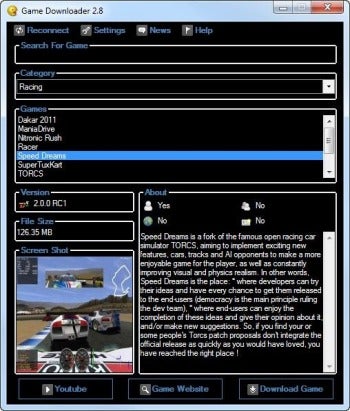
Game Downloader screenshotGame Downloader lists lots of information about each game, and includes a direct link to YouTube for watching game-related videos.You can get Game Downloader as an installer or a portable application requiring no installation. Both the installer and portable application pop up a UAC prompt asking forAdministrator privileges before running.
When you run Game Downloader, it opens a single compact window with a black background. Other than the odd choice of color, other controls are standard--just like any other Windows utility. There's a search box, but it only works if you know the exact name of the game you're after: For example, searching for "hedge" yields no results, even though Hedgewars is one of the games listed.
There is a Category drop-down letting you narrow down the selection to the type of game you're after, such as turn-based games, racing games, puzzles, and even music-based games like Frets on Fire. Once you pick a category, you can browse through the list of games. Game Downloader lists each game's version and file size, and includes a tiny screenshot and a text description of the game. There are also icons showing whether the game supports single-player mode, multi-player mode, or online play, and whether it requires a user account.
Since Game Downloader provides dry technical information about each game, it's not easy to pick something good. That's where the YouTube button comes in handy: Click it, and your default browser will load YouTube with a search query for the game's name. More often than not, you will find in-game videos, tutorials, and demos showing what you can expect if you download it.
Finally, there is the Download Game button, which grabs the game archive or installer. Unlike Steam, Game Downloader doesn't try to be a library. It downloads the game for you, but you step through the installer yourself (if the game has one).
Game Downloader doesn't come with many bells and whistles, but it's an effective catalog of free Windows games. I only wish it had user reviews like those in the iOS App Store or Google Play.

Game Downloader

  • Version: 2.8
  • Downloads Count: 0
  • License Type: Free
  • Price: Free
  • Date Added: Apr 27, 2012
  • Operating Systems: Microsoft Windows 7, Microsoft Windows Vista, Microsoft Windows XP
  • Requirements: Microsoft .NET Framework 3.5
  • File Size: 730.0 KB
  • Author: dev-fire

For More Click Hare

Download Sexy Girls Photo, Click Hare

Tuesday, April 24, 2012

Google Drive - Automatically Encrypt Files

Today Google launched Google Drive, a free-if-you-just-need-5GB-of-storage Dropbox-like service that lets you easily store and share files in the cloud.
RELATED: Google Drive vs. The Rest -- A Comparison Chart of Cloud Storage Services
I like the idea of free cloud storage, but I'm just the tiniest bit wary of sharing files with Google, given the company's penchant for using information I share with it to hone its advertising. For this reason, I've determined to encrypt any files I place on my Google Drive. And you can too--easily and with your new best friend, Automator.
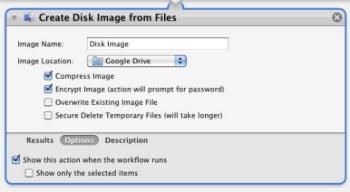
Visit this Automator World page and download a copy of Armin Briegel's free Create Disk Images From Files action.
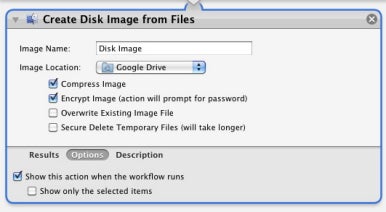
Launch Automator create a new Application workflow. Choose File -> Import Actions, navigate to the Create Disk Image From Files action you downloaded, and click Import. Drag this action into the workflow area. Configure the action so that the Image Location pop-up menu points to the Google Drive folder (found inside your user folder). Enable the Compress Image and Encrypt Image options, click the Options button, and enable the Show This Action When the Workflow Runs option. Save the application to the desktop.
The complete workflow
The complete workflowWhen you want to encrypt some files and place them on Google Drive, simply drag them on top of the application workflow. They'll be compressed into a zip archive and you'll then be prompted for a password. Enter and confirm the password, click OK, and the disk image is encrypted.
Of course you'll need to pass along the password to anyone who downloads the archive. And, just as of course, you can use this same kind of workflow with Dropbox.

Download Free Movies: Click Hare

Sexy Bikini Girls Free, Click Hare

Google Drive - Offering Free Storage Of 5GB

Google has officially unveiled Goggle Drive, its foray into free online storage.
Google Unveils Google Drive, Offers 5GB of Free StorageConsumers can get 5GB of free storage to stash anything they want from photos to videos to documents. They'll also be able to use the space to collaborate with others.
If 5GB isn't enough space, you can buy more – from 20GB for $4.99 a month up to 1TB for $49.99 a month. Paid Google Drive subscribers automatically get a Gmail upgrade to 25GB of storage.
Competitors such as Box charges $240 per year for 50GB of storage. The new SkyDrive charges $50 per year for 100GB and Dropbox will cost you $100 per year for 50GB.
According to Google, its new storage offering allows you to:

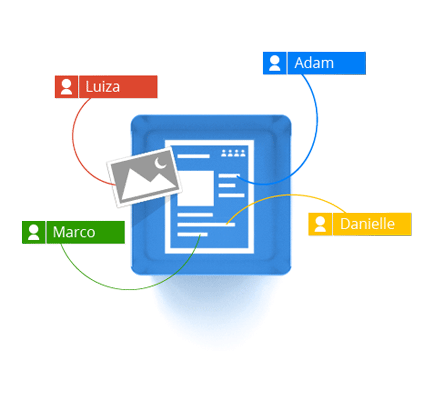
  • Work with others on projects involving Google Docs, which is integrated into Google Drive. Once you share a file stored on Google Drive, you will be automatically notified when someone comments on the shared material.
  • Access your files from any web browser. There's also an Android app for accessing the drive, and an iOS application is in the works.
  • Search your documents, including text in scanned documents. Image recognition is also supported so you can search for photos, too.
<p>Your browser does not support iframes.</p>
Google Drive is designed to work seamlessly with other Google apps. For example, you can attach a photo stored on the drive to a Google+ posting. You'll soon also be able to do the same thing with Gmail, Google promised.
What's more, Google said that it's making the drive an open platform in order to encourage third-party apps for the product so you'll be able to do things such as send faxes and edit video directly from the drive.


More Hot News : Click Hare

Sunday, April 22, 2012

ATI Radeon XBox 720 Comming Soon !!

There are many rumors about Xbox 720 from ATI Radeon but we are getting many reliable info from some popular blogs and forums. According to info of close sources of IGN, we have got an idea that Xbox 720 is coming in 2013 and this next generation Xbox will be six times more powerful than the current version of Xbox.
From their analysis, we got some ideas about the graphic processing power of Xbox 720. Sources of IGN have confirmed that production of graphics processing unit (GPU) of Xbox 720 will be started by near the end of 2012 and GPU will be based on Radeon 6000 series graphics processors. Radeon 6000 series came to market last year. It is assumed that Xbox 720 GPU will be of same capability of Radeon 6670 as 6670 GPU supports DirectX11, Multidisplay, 3D Display with 1080p HD graphics output.
IGN is saying, the raw graphics processing ability will be six times than that of the current Xbox 360 and it will provide 20 percent better performance than that of a Nintendo’s Wii U.
Developers are supposed to get development kits and tools based on the final system configuration in August. There was no projected price assumed.
However, we can’t make sure about this. Performance can be lower than this, but we believe, that Xbox 720′s performance will be more than this.
For more info: Click Hare
For New Bikini Girls Picture, Click Hare

Friday, April 13, 2012

75 Ultrabook Designs on the Way, Prices Maybe to Reach $699

75 Ultrabook Designs on the Way, Prices to Reach $699Intel said on Wednesday that 75 Ultrabook models are already in development and will include new form factors such as hybrids that can switch from laptops to touchscreen tablets.
The chip maker also expects Ultrabooks will reach a starting price of $699 within several months by the back-to-school period this year, as the company works to boost retail visibility of the Ultrabook form factor through a new marketing campaign. Currently Ultrabooks are priced from about $800 upwards.
Intel announced the Ultrabook concept last May, aiming to create new laptops that are not only thin and light, but also feature long battery life and quick turn-on times on par with tablets. To support the development, Intel has invested $300 million in companies that develop new technologies for Ultrabooks.
Since the announcement, 21 Ultrabook devices have hit the market, but more are on the way, said Kirk Skaugen, Intel general manager for the PC Client group. Newer Ultrabooks will come with several new features including touchscreens for Windows 8 and hybrid designs, he added.
75 Ultrabook Designs on the Way, Prices to Reach $699"I think we can deliver the best of a tablet, and the best in what (users) know in a notebook," Skaugen told reporters.
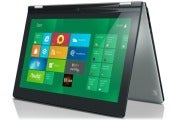
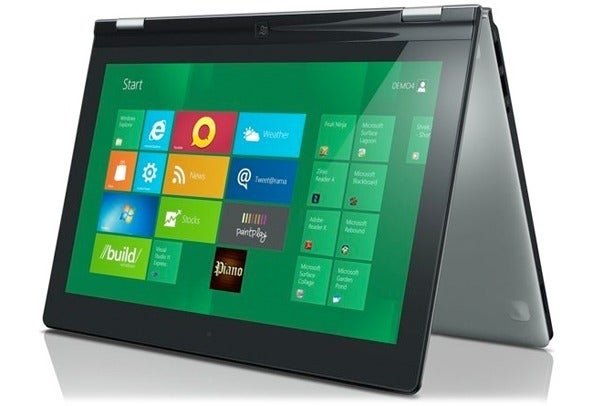
Earlier this year at the Consumer Electronics Show, Lenovo unveiled an Ultrabook device called the IdeaPad Yoga, which has a touchscreen display that can flip into a tablet. The device runs Windows 8, which Microsoft will release later this year.
To highlight Ultrabooks, Intel has launched a "multi-hundred million dollar" advertising campaign for the devices, which will lead to new TV and Internet advertisements, Skaugen said.
As part of the campaign, Intel will also create "Ultrabook experience zones" in retail stores, to better set apart the devices from traditional laptops. "In order to be compliant to that section, you have to meet a series of tests that Intel is putting in the market place," he said. These tests require devices to meet set requirements, including how thin the device is and how fast it accesses data.
"Intel plans to ensure Ultrabooks have a consistent experience. And if it's too thick it won't be called an Ultrabook," Skaugen said. "It won't be allowed to be called an Ultrabook because Ultrabook is a trademark of Intel and we can protect the trademark."

For More Info: Click Hare