Recent Posts

Showing posts with label Tablet. Show all posts

Tuesday, August 7, 2012

Ways to Get the Most From Your Wi-Fi-Only !!

Much to the chagrin (and much against the ill wishes) of wireless carriers such as AT&T, Verizon, Sprint, and T-Mobile, people are buying Wi-Fi-only tablets. In fact, some studies have shown that in 2011 up to 90 percent of all tablets sold in the United States relied on Wi-Fi, rather than on 3G or 4G LTE.
I hate to say it, AT&T, but this makes sense: Wi-Fi only tablets are cheaper (and I'm not talking exclusively about the Wi-Fi-only iPad, but also about tablets that never had a data option, such as the Kindle Fire and the Nexus 7), and people are discovering that they just don't need an extra data plan. Don't believe me? Check out these 10 tips for getting the most out of your Wi-Fi-only tablet.

1. Tether, Tether, Tether

If you already have a smartphone with a data plan, you don't need to waste money on an additional plan for your tablet. Instead, use your phone's plan to get an Internet connection for both devices.
There are two ways to tether, or turn you phone into an Internet hotspot, using today's smartphones.
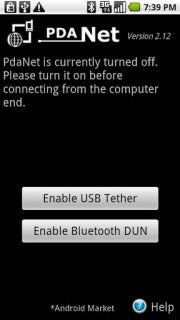
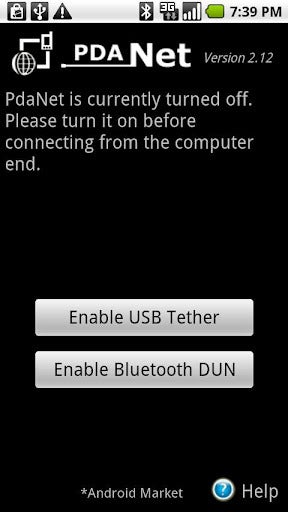
PdaNet tethering app
PdaNet tethering appOne option is to use your phone's built-in tethering ability, which means you'll likely have to pay your carrier an extra fee for the service. The other is to download a third-party tethering app such as PdaNet (for nonrooted Android phones), Wireless Tether for Root Users (for rooted Android phones), or PdaNet for iPhone (for jailbroken phones).
The only problem with tethering is that carriers do their utmost to discourage it. If you use your phone's default tethering ability, you'll have to pay your carrier a fee of around $20 for the privilege. That's $20 on top of your already pricey data plan--and you don't get any extra data.
And if you use a third-party tethering app, your carrier can charge you if it finds out (unless you happen to be on Verizon). And only jailbroken iPhones can run third-party tethering apps.
But jailbreaking, rooting, or paying a monthly fee may be a small price to pay for the freedom to use your Wi-Fi only tablet (and other devices, such as your laptop) wherever you can use your phone.

2. Get a Mobile Hotspot

Instead of tethering your tablet to your phone's data plan, you may want to consider picking up a mobile hotspot from your local wireless carrier.
A dedicated mobile hotspot can yield better results than tethering your phone's data connection. For starters, it's often faster and more reliable than a tethered phone's connection. And whereas tethering can drain a phone's battery quickly, mobile hotspots commonly deliver many hours of battery life.
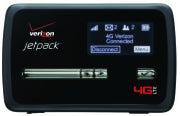
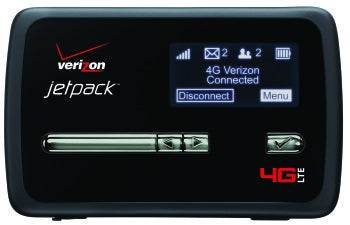
Verizon Jetpack 4G LTE Mobile Hotspot MiFi 4620L
Verizon Jetpack 4G LTE Mobile Hotspot MiFi 4620L I use the Novatel Wireless MiFi 4510L for Verizon LTE, which offers long battery life, excellent data speeds, and a solid connection--unlike my Galaxy Nexus phone.
Though the MiFi 4510L lost out in PCWorld's hotspot tests to the Samsung 4G LTE Mobile Hotspot, the main advantage of the MiFi 4510L is its ability to keep its connection while moving. The Samsung 4G LTE is speedier when you're sitting still, but, in my hands-on experience, the MiFi 4510L maintained a solid connection on a 9-hour drive to Vegas (our PCWorld tests didn't evaluate this capability).

3. Preload Magazines and Books

Tablets are the perfect travel device--they're lightweight, they have large screens, and you don't need to take them out of your bag during a TSA search. Tablets are also great because they let you carry around tons of reading material without weighing down your bag.
So the next time you head out of town (or go to the gym or hop on the train for your morning commute), try preloading some magazines and books on your Wi-Fi-only tablet so you can read at your leisure--without an Internet connection.
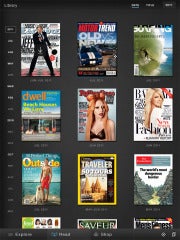
Zinio reading app
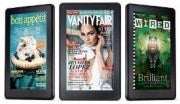
Zinio reading appZinio (for Android and iPad) is an excellent reading app that lets you subscribe to hundreds of magazines (in full color). Sure, you have to pay for the subscription (which isn't much cheaper than a print subscription), but you can download entire magazines before you leave your Wi-Fi zone.
The Amazon Kindle app (Android and iPad) is a great reading app--not just because you can download and read ebooks from Amazon's online store, but because you have free access to tons of ebooks from your local library. Find out whether your library participates by searching OverDrive.

4. Use Offline Mapping Apps

Mapping applications on smartphones and tablets have made getting lost practically obsolete (practically...), but such apps only apply to devices that have constant data connections, right? Wrong--thanks to offline mapping apps, you can stay on track wherever you are, data connection or not.
For a couple of years now, Google Maps has had an offline-viewing option that can even offer turn-by-turn directions without connecting to a network (providing that you've already looked up the route).
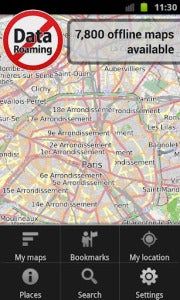
City Maps 2Go

City Maps 2GoIf you're heading to a new city and you aren't sure when you'll be able to grab a Wi-Fi connection, try a mapping app such as City Maps 2Go (Android and iPad), which costs $1 to $2. This app lets you download thousands of maps for offline viewing (the iPad version currently has a promo for unlimited downloads, while the Android version offers five free downloads).

5. Read It Later

Suppose that you like to read Web pages--not magazines and books--on your tablet. Instead of letting your lack of Internet connection frustrate you, try using a service such as Pocket, formerly known as Read It Later.
Pocket lets you save Web pages from your computer, by email, or directly from select apps to a special Read It Later list. Once you've saved something to your list, you can open it from any of your devices, assuming that you've connected to the Internet long enough for your list to update.
Download the Pocket app for Android, iPad, or Kindle Fire, and read all of those webpages later on--without an Internet connection. 

6. Use Free Texting Apps

Having a Wi-Fi-only tablet with no phone service or data plan doesn't mean that you can't text your friends with the best of them.
Admittedly, texting on a Wi-Fi-only device doesn't make a lot sense for most people--after all, texting is normally used for instant communication, so it doesn't make a lot of sense to have to find a Wi-Fi connection before you can check your text messages--but some people do text casually. Plus, this approach will save you some money.

TextPlus Android app for texting
TextPlus Android app for textingOne free texting app, TextPlus (Android, iPad, Kindle Fire) lets you text any U.S. or Canadian number for free. Similarly, Pinger's Textfree (Android, iPad, Kindle Fire) lets you text to tons of countries for free, and it has the added benefit of giving you a real phone number so you can pretend that you really have a phone (and so your friends can text back to a phone number, instead of to an email address).

7. Load Up on Tablet-Optimized Offline Games

Mobile games are hot these days, but the hottest ones always seem to require a constant data connection. You can't play social games such as Zynga's FarmVille or Words With Friends unless you're connected to the Internet, which is fine unless you happen to have a Wi-Fi-only tablet and you're in a Wi-Fi-less area.

Osmos HD Android game
Osmos HD Android gameTo deal with that situation, try some tablet-optimized games that don't require an Internet connection--many games in the action/adventure, hidden-object, and puzzle genres don't. Titles worth checking out include the gorgeous puzzle game Osmos HD (Android, $3; iPad, $5); Shadowgun THD (Android, $5; iPad, $5), a third-person outer-space shooter; Dead Space (Android, $7, iPad, $10), a first-person horror survival game; and Empress of the Deep (Android, $4; iPad, $5), a hidden-object game.

8. Share Files Between Devices Wirelessly

Sending files between your Wi-Fi-only tablet and your computer can be extremely easy if you use an app such as WiFi Files (iPad) or WiFi File Explorer Pro (Android/Kindle Fire, $1).
These apps let you wirelessly transfer files between your tablet and your computer via a Wi-Fi connection. Note: Such transfers are faster and less complicated than (for example) emailing a file to yourself.
You can also check out syncing apps, such as SugarSync (Android and iPad) and Dropbox (Android and iPad), which automatically sync your selected files with all of your devices whenever you're connected to the Internet.

9. Find a Wi-Fi Connection

Finding a Wi-Fi connection usually isn't very difficult, but many popular dedicated apps such as Wi-Fi Finder require an Internet connection in order to search for a Wi-Fi hotspot. Obviously, if you're working with a Wi-Fi-only tablet, that prerequisite won't fly.
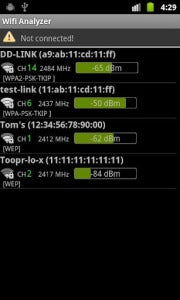
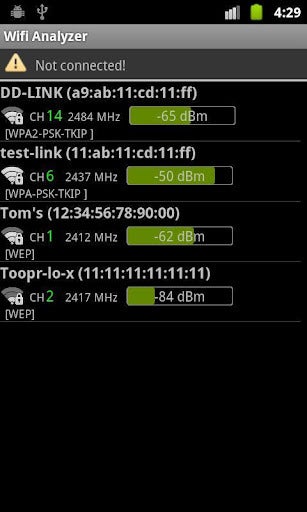
Wi-Fi Analyzer Android app
Wi-Fi Analyzer Android appInstead, check out apps such as Wi-Fi Analyzer (Android) and WiFi Scanner (Android) to see nearby networks and their signal strengths. (iPad users have a harder time of it because Apple pulls Wi-Fi scanning apps from the App Store; consequently, the only alternative is to jailbreak your phone.)
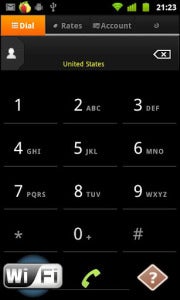
WiCall Android app
Want to know whether a "free" Wi-Fi network actually requires a browser log-in? Check out WiFi Browser Login (Android), which notifies you if the Wi-Fi network that you just connected to is about to shut you down when you open a browser window.

10. Use Wi-Fi to Make Phone Calls
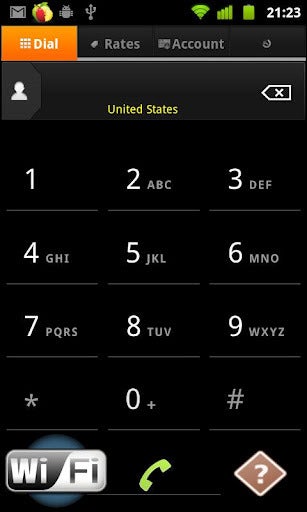
WiCall Android appAssuming that you never make calls on the road, maybe you can get rid of your pesky cellphone plan altogether--and use your Wi-Fi-only tablet to make phone calls through a service such as WiCall (Android), which lets you call over your wireless connection.
These calls aren't free--they cost $0.009 per minute for U.S. calls--but that's a pretty negligible charge. If you'd prefer to pay up front, you can sign up for a service such as GrooVe IP (Android, $5), which lets you use your Google Voice account to make free phone calls.
iPad users can check out the free MagicJack, which allows you to make free phone calls to any U.S. or Canadian phone number.

Data Plans--Who Needs 'Em?

Considering all of the things that a tablet can do without a data connection, it's no wonder that people are overwhelmingly choosing to purchase Wi-Fi-only models. 3G/4G tablets cost more, they require an extra data plan, and they will incur an extra charge on the new shared data plans.
In contrast, you can do just about everything you need to do (except, perhaps, answer emails on the fly or make phone calls on the road) with a Wi-Fi-only tablet. And if you ever do need an Internet connection, you can tether your tablet to your phone or sniff out a wireless hotspot.

Monday, July 23, 2012

Google's Nexus 7 Disappears from Play Store!!! :P

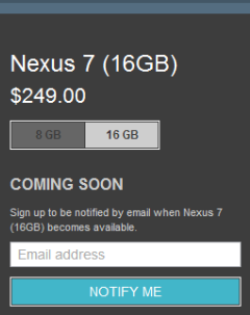
Google’s $250 16GB Nexus 7 tablet disappeared from Google’s online Play store over the weekend due to overwhelming demand, according to an online report. A message on Google Play advises tablet shoppers to sign up for e-mail alerts to learn when the tablet is back in stock. 
Google has not said why the 16GB Nexus 7 is no longer for sale, but anonymous sources “close to Google” told the Guardian that the search giant “seriously underestimated” demand.
Google appears to have been dealing with limited supplies of 16GB Nexus 7 devices for some time. The company recently answered concerns about when customers will get their new Google tablets by publishing a rough timetable for delivery.  All 16GB devices ordered through the end of July 11 were supposed ship by July 20, and Google says remaining orders will be shipped by Friday, July 27. 
Recently, stocks of the Nexus 7 were also proving difficult to find on local retail shelves.  GameStop quit taking orders for the Nexus 7 shortly after the tablet started shipping in mid-July, and around the same time Staples announced it was sold out. Staples now lists the Nexus 7 as available in-store only and on special order, and GameStop lists the Nexus 7 16GB tablet as back-ordered.
As usual with any hot new tech item, eBay sellers are offering Nexus 7 devices at a premium for those unwilling to wait for more devices to ship.
While demand for the Nexus 7 is good news for Google, we're also hearing reports of display issues including backlight bleeding, touch responsiveness problems, and defective manufacturing. The Nexus 7 isn’t the first popular tech device to have production quality issues. When the iPhone 4 first debuted, some early customers reported yellow discoloration on the smartphone’s display that was later linked to residue from the manufacturing process. Similarly, some early buyers of the iPad 2 complained of backlight bleeding.
The $200 8GB Nexus 7 is available only through Google Play and is currently shipping within three to five days.

Friday, June 29, 2012

Google Nexus 7: A Missile Aimed Directly at Amazon's Kindle Fire!!

When Google rolled out the specs of its new Nexus 7 tablet Wednesday at Google I/O, I was impressed. Aside from a few limitations, it looked like a pretty deluxe piece of gear. Then I heard the $200 price tag, and all of a sudden things didn’t make sense.

When you look at the specs of the new Nexus 7 tablet, you can’t help but notice a disconnect between the technology jammed into that little package and the $200 that Google is asking for it. The Nexus 7 has some fairly expensive-looking technology inside it--a high-definition display, multicore processors, and more.

For More Details, Click Hare 


Losing to Win

It’s very likely that Google is selling the Asus-built Nexus 7 for less than it cost to make it. That means that Google will be subsidizing the cost of each one it sells. “I don’t think they are making money on this,” says IDC analyst Tom Mainelli. “If they are smart, they have set up the supply chain in such a way that they break even.”
But my guess is that selling the Nexus 7 for anything less than $300 precludes any possibility of breaking even. The actual amount that Google is subsidizing the Nexus 7 is something that no one other than Google and Asus will likely ever know. So why would Google come out with a fancy new tablet it knows will not turn a profit?

Taking Back Android

Amazon's $200 Kindle Fire
Mainelli explains that Amazon built an extraordinarily inexpensive but not very functional tablet--the Kindle Fire--in part by using a highly modified and limited version of the Android operating system. And the Kindle Fire has sold very, very well.

Amazon's $200 Kindle Fire.Google, Mainelli believes, wants to “take back” the Android OS from Amazon, meaning that it wants consumers to know and expect the experience of using full-blown Android (in this case, the new Jelly Bean version) on a tablet. And it seems apparent that the Nexus is much more like using a real computer than the Kindle Fire is.

The whole reason Android was created in the first place was to point phone and tablet users toward Google content and services, Mainelli pointed out.
Amazon subverted that plan by using Android to power a device designed to consume content and services bought only from Amazon. Google’s best defense against that was to create a better tablet with a better user experience at the same price point as the Fire. That’s the Nexus 7.

Content-Consuming Devices

“Google is trying to demonstrate to its partners how to make a tablet that is affordable, yet full-featured and able to display content in an attractive way,” Mainelli says. Nexus 7 users, Google hopes, will constantly buy their content and apps from the Google Play store. Admittedly, this looked like a pretty appealing proposition in the demonstrations we saw Wednesday at the Google I/O conference.

Looking at the recent tablet announcements from Microsoft (the Surface) and Google, one could draw the conclusion that Apple’s scheme of selling hardware and the content and apps that run on it is winning the day.
Apple, Google, and Microsoft want to sell you a device (in this case, a tablet) that is tightly linked to their own content store (Apple Store, Google Play, Windows Live), and that displays the books, music, apps, and movies bought at the store beautifully and seamlessly. The device, of course, can also suggest relevant content, and sell it to you with just a few clicks.

And these companies seem more and more willing to sell the devices for less money, in hopes that they can make their money back by selling a lot of content through the device.

The Battle for Mind Share

There’s also the issue of mind share and momentum. Google wants both consumers and content creators to get excited about Android again.

When consumers get excited, they buy more tablets and content. But consumers will only get excited if they can buy from a wide selection of apps and other content from the store that serves the device. So it’s very important that Google get developers and content partners fired up about Android as well.

“Google needs to get enough people into the ecosystem, so they'll sacrifice making money on the hardware to make sure that there are enough pure Android tablets in the world to power their own ecosystem,” Mainelli says.

Better Android Tablets

That excitement has not happened for the group of Android tablets on the market now. A big part of why Android tablets have failed is because they have been priced too expensively by Google’s hardware partners, Mainelli points out.
The Nexus 7 is powered by the new Android 4.1
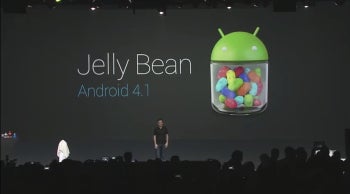
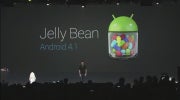
The Nexus 7 is powered by the new Android 4.1 "Jelly Bean" OS.Google may be trying to demonstrate to its partners the mix of functionality and low price needed to get people excited about Android tablets.
The same thing might be said about Microsoft: It could easily have had an OEM partner like Nokia manufacture the Surface, but it chose to set the design and pricing standard to which future Windows 8 tablets must adhere.

For More Details, Click Hare 


“Both Microsoft and Google are now selling their own tablets,” Mainelli says. “They are basically saying to their hardware partners “You guys aren't doing it right; this is how it’s done.”

Google’s willingness to subsidize the Nexus 7 is proof that there’s a lot at stake for the company here. But if anybody has the deep pockets needed for such a “lose-to-win” strategy, it’s Google.

Thursday, June 28, 2012

Google Nexus 7 Can Heavily Impact Tablet Wars!!

Complete Coverage
Best current price: $199
With Wednesday's launch of its Nexus 7 tablet, Google gives the current tablet market a much-needed jolt of energy.
The Nexus 7 is the tablet that Google should have launched with a year ago. The Nexus 7 packs a high-performance, no-compromise set of features at attractive prices--$199 for the 8GB model and $249 for the 16GB model.

This winning--on paper--combo will immediately put the Nexus at center stage. It also will make all current Android tablet makers reevaluate their own offerings on the market. But selling a tablet directly to consumers online, with no clear changes to the app ecosystem behind it, won't be enough for Google to gain market share at Apple's expense.
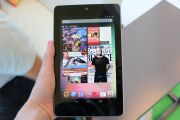
Google Nexus 7Google Nexus 7Manufactured by Asus, the Nexus 7 tablet represents the first commercial manifestation of Nvidia's Project Kai. Nvidia designed the Kai reference platform to provide manufacturers with a shortcut blueprint of how to create a competitive tablet at consumer-friendly pricing.
At CES 2012, when Nvidia and Asus announced plans to produce a Tegra 3 tablet for $250, the two companies clearly had the Amazon Kindle Fire in their sights.
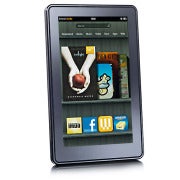
Amazon Kindle FireAmazon Kindle FireThe Kindle Fire, which shipped last fall, is the best-selling Android tablet thanks in large part to its low price of $199. But the Kindle Fire takes a lot of heat for its mediocre 1024-by-600-pixel display, its forked Android operating system, its limited specs (no camera, little onboard storage, no expansion), and its slow performance. Sales numbers for the Kindle Fire have dropped off since the initial burst of enthusiasm from consumers; but no other Android tablet has made a significant impact, either.

Google Takes Charge of Its Own Tablet--Sort Of

Google's move into the tablet arena with its own branded Nexus tablet is significant for several reasons. First, it shows that the company recognizes how important it is for an OS maker to be deeply involved in creating hardware that complements its own software.
For evidence, look no further than the mess of compromises and mediocrity we've seen from Android tablets over the past year, including poor choices in weight, processors, display, and design.
In today's Apple-dominated, post-PC age, a tablet with hardware designed independently of its operating system is unlikely to emerge as an impressive flagship device. And certainly that approach isn't the way to generate the Apple-level frenzy that every tablet maker yearns for.
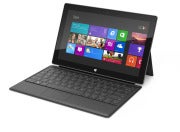
Microsoft Surface tabletThat's why Microsoft jumped into the PC hardware fray for the first time in 37 years, with last week's introduction of the Microsoft Surface tablet.
Microsoft Surface tablet[Read: "Microsoft Hardware: Successes and Failures"]
And it's why Google is expanding on what it already offers with its Nexus phone line by now offering its own tablet. The company should have taken this step last year when it launched Android 3.0 Honeycomb, the first operating system designed specifically for tablets, instead of crossing its fingers and hoping for the best with the spectacularly unimpressive Motorola Xoom tablet.
To what extent the Nexus 7 embodies Google's vision of a tablet is unclear. One area where Google may have influenced its design is in the tablet's inclusion of near-field communication capability. But beyond that, the core specs for the Nexus 7 are the ones that Nvidia and Asus talked about as far back as CES.
Back then, Asus went so far as to introduce the Asus Eee Pad MeMo 370T with specs, price, and a time frame for availability that are quite similar to the Nexus 7's. Since CES, however, Asus has said nothing more about its MeMo plans. Now we know why.
Clearly, all parties recognized that for the Android tablet OS to succeed, something had to change. And the reality of Kai should have a significant impact on current tablet makers.
How can Toshiba's Excite 7.7 tablet, priced at $550 and carrying a 1280-by-800-pixel display, compete with Google's Nexus 7 when the latter offers the same screen resolution and costs $300 less? The Toshiba does have a 0.7-inch larger screen, but both have 16GB of memory and both run on an Nvidia Tegra 3 processor.
Meanwhile, Amazon is rumored to be prepping its coming Kindle Fire replacement for a midsummer launch. Whether Amazon will step up its game with that tablet remains to be seen; but based on today's news, we believe that the company will need to have a competitive answer to remain firmly in the mix.
Here's a chart that compares the specs of the Google Nexus 7 to five other tablets:

The Missing Elements

So far, Google hasn't indicated that it will sell the tablet anywhere except at its Google Play online store. Consequently, consumers who want to do their own hands-on comparison of the Nexus 7 with other tablets will be out of luck.
Google's approach with the Nexus 7 addresses a relatively small subset of the problems facing the Android tablet market. Among the other issues to be resolved in the bigger picture are better-resolution displays and improved, lighter designs.
Google Android 4.1 (Jelly Bean)Perhaps most significantly, Google's conference has as yet lacked any discussion of the OS- and device-fragmentation issues that plague developers. I routinely hear these issues cited as the number-one reason that developers choose to make an iPad app instead of an Android app; and the tiny market share that Android tablets have thus far achieved has done nothing to convince developers to fully embrace the Android tablet ecosystem.
Google played up the fact that the company now lists some 600,000 apps in the Play store; but it didn't say how many of those apps are optimized for and work well on a tablet.
Google Android 4.1 (Jelly Bean)The app ecosystem, unfortunately, still remains a sticking point for Android tablets--and a key factor that makes it harder to recommend an Android tablet to consumers eager for the next great, cool app.
The bottom line is Android still has a long way to go to surpass Apple's iPad. But when we look back, the delivery of the Nexus 7, with Android 4.1 Jelly Bean, may mark a turning point in the Great Tablet Wars.

Google I/O: Chrome Browser Improvements; Chrome and Google Drive for iOS; New Chromebooks!!

Google I/O: Chrome Browser Improvements; Chrome and Google Drive for iOS; New ChromebooksGoogle Thursday announced improvements to its Chrome browser, improvements to Google Docs, and Chrome and Google Drive for iPhone and iPad, among other things on Day Two of the Google I/O developer conference in San Francisco.

  For More Details, Click Hare 

Google Drive Improvements

While today's announcements paled in comparison to those rolled out in yesterday's big show, a few of them will certainly be of interest to consumers.
Perhaps the most substantial announcements concerned Google's Drive cloud-based suite of productivity apps (formerly known as Google Docs).
One cool improvement to the product lets you work on word documents when you are not connected to the internet. The capability is available immediately for word documents, and later on for spreadsheets and presentations.
Google Chrome product manager Brian Rakowski.
Google has been working to allow us to sync our Drive documents between different kinds of devices, and to work on documents with our friends or workmates regardless of the type of devices being used.
To that end, the company announced that Drive will now be available for use on the iPhone and the iPad. You can now add people to collaborate with.
Developers can now design their apps to send faxes, and send and receive documents, using Drive.you from within Drive; while collaborating you can see your document updating in real time on whatever tablet or phone you may be using.
Google says that more than 10 million people began using Google Drive "in just over 10 weeks" after its release.

Chrome Browser Improvements

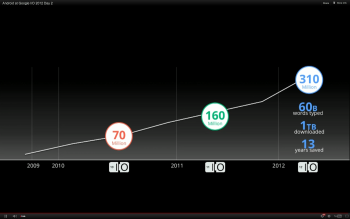
Google says more than 310 million people worldwide now use the Chrome browser.
Google says 310 million people now use its Chrome browser.
Google Chrome browser product manager Brian Rakowski was on stage to announce some new capabilities for developers.
He demonstrated how developers will now be able to easily build voice recognition into their Chrome apps. That will allow users to give commands to their apps without touching touchscreens or typing.
The biggest announcment around Chrome, however, is the news that a version of the Chrome browser for the iPhone and the iPad will become available later today.

Chromebooks Get Faster


The Chromebooks that Google introduced last year were not well received, mainly because of their connection and storage limitations, and because of sluggish performance. But the Google laptops have survived, and Google says the the new Chromebooks are three times faster than the original chromebooks.
They will also become easier to purchase. Chromebooks will soon go on sale in selected Best Buys and other retail outlets across the United States. Google also says it's working with a series of computer makers to release more Chromebooks by the Christmas season.
Cirque du Soleil demonstrated its new HTML5 app, which responds to your body movements detected by your web cam.

The Cloud Gets Bigger

Google says that its cloud infrastructure is now so powerful and scalable that developers can run their apps entirely in the cloud to as many users as they want "for a reasonable price."
This was demonstrated by showing the Google I/O kenote audience an entirely cloud-based gamed called Bulletstorm on a giant screen. The game ran very smoothly in the demo, and the graphics looked great; it looked a lot like a game running on a gaming console.

Very Developer-Oriented Keynote

Unlike yesterday's announcements, the new features and services rolled out today (other than the Drive and Chrome apps announcements), seemed aimed at the developer crowd.
However, the developers in the crowd were treated to a reprise of the skydiving act from yesterday, in which the divers all wore the Google Glass glasses and filmed their descent from the air. Today's show was more of a how-to, hosted by Google founder Sergey Brin, and was noticeably less exciting for consumers than yesterday's spectacle.

Sunday, June 17, 2012

Microsoft Tablets: 5 Things You Want to See!!

The buzz around Windows tablets is at fever pitch now, on the eve of Microsoft’s mystery announcement in Los Angeles on Monday.
The rumor mill favors some big news regarding Microsoft’s Windows 8 tablets, but the Los Angeles location would seem to indicate that Microsoft may have an entertainment angle in play, as well, perhaps a content store that will challenge Apple’s iTunes, Google’s Play, and Amazon’s services on its Kindle Fire Android tablet.
Several analysts theorized that, as an entertainment capital, L.A. could offer the backdrop for media content on any new tablet, including games, movies, or more.
Rob Enderle, an analyst at Enderle Group told our sister publication Computerworld that Monday's announcement could be an Xbox-like tablet subsidized with games that users would buy. "Xbox does do announcements in L.A., and they did just announce Xbox SmartGlass at the E3," Enderle said.
Or, he added, the news could be merely a speculative product "designed to get the industry excited" with a focus on the tablet as a content-consumption device. "Content is where I think Microsoft is focused."
Another possibility: That Microsoft may be getting into the hardware business itself, manufacturing its own tablet.
Whichever path Microsoft announces Monday, one thing is for certain. Windows 8 tablets are coming, and they’re coming soon. The question is, what will they bring to the party that other comers haven’t? And will these tablets be able to mount a credible challenge to Apple’s iPad, or the mounds of Android 4.0 tablets?
Here are five things that Microsoft and Windows 8 tablets need to have to make an impact.

Easy Content Acquisition

Apple and Amazon have excelled in making it dead simple for consumers to shop for their music, videos, and TV shows. Apple makes downloading content for local use as easy as it gets via iTunes, while Amazon makes it easy to download and stream from its cloud services (the Kindle Fire’s limited local storage makes it less viable to store your media locally).
Google’s Play store lets you shop for music, but it remains a bit awkward. And movies are still merely rentals, not buy-to-own. No TV shows in sight.
Microsoft tablets have a huge opportunity to take a lead here, if the company can master the shopping experience and cover its bases across music, movies, and television.

Competitive Pricing

Even though we’ve heard the first tablets announced in early June at Computex, we haven’t seen anything firm about pricing. Microsoft tablets will need to come in at a price that’s, at the least, competitive with its Apple and Android competition. And ideally, at a price that undercuts the competition--just enough so that consumers take notice, and are enticed to consider something new.
Hitting this kind of pricing may be difficult, however, if reports that Microsoft’s charging manufacturers around $80 to $90 for the OEM version of Windows RT prove true. (Windows RT is the version of Windows 8 that’s designed for use on system-on-chip ARM processor-based tablets. These tablets are the ones that will most directly compete with Apple’s iPad and the variety of Android tablets.)

Better-Than-The-Rest Specs

Microsoft tablets will be, arguably, more than just fashionably late to the tablet party. As such, tablet makers need to eschew last year’s specs, and go straight to something that will get shoppers’ attention. And like it or not, specs do get attention.
Things like a minimum of 32GB of built-in storage, and a high pixel-density display (at minimum, a resolution of 1920 pixels by 1200 pixels, which is less than iPad’s 2048-pixel-by-1536-pixel resolution but superior to the existing baseline resolution of 1200 pixels by 800 pixels on a 10.1-inch display) feel de riguer.
And upping memory wouldn’t be a bad move, either; current tablets are locked at 1GB of memory, but 2GB could go a long way to smoothing the playback experience while using the tablet for other tasks, too.

True Multitasking

Today, you’re still somewhat limited in what you can share among apps in the Apple iOS and Google Android worlds. Often, the limitation is as much due to the app itself as it is the OS.
I, for one, crave a multitasking experience that works as smoothly as it now does on my laptop or desktop--and that’s something that, in theory, Microsoft Windows 8-based tablets and the apps written for Windows 8 Metro will bring to the table.

Sharing of Apps and App Data Across the Tablet and Laptop/Desktop

There are lots of cool apps created for iOS or Android, but the reality is those apps are locked into whatever mobile OS they were written for. The interoperability promise of Windows 8 is huge: Buy your app once, and use it on tablet, on laptop, on desktop.
Windows 8 Metro interfaceWindows 8 Metro interfaceThat’s the promise of how Microsoft has billed its Metro interface, but we haven’t seen it in action. Yet.
The above is, in part, a pie-in-the-sky wish list. The multitasking and app sharing could pan out, as could the content ecosystem. But I’m concerned about where Windows tablets will fall in price and specs.
I do believe that Windows 8 tablets will face an uphill battle challenging on price, especially without subsidization (and I don’t mean false subsidies through carriers) or Microsoft offering a concession on how much it charges OEMs for the Windows RT operating system.
Jack Gold, an analyst at J. Gold Associates, theorized to Computerworld that, if Microsoft does announce a Windows RT machine, it will probably cost $600 to $800, the price tag most observers expect other RT tablets to carry, "unless Microsoft plans to take a loss on each device sold because they have to buy the same components as everyone else."
Gold said Microsoft would not ultimately be able to compete with Amazon on price since costs would be higher for an RT machine and because there is no clear pathway for Microsoft to recoup subsidies it might pay to attract consumers.
There's also a possibility that Microsoft may show off a reference platform on Monday as an example of what the Windows RT machine could do, Gold said. That would be the design that other manufacturers, like Asus, Lenovo, Acer and others, would implement.
However, Gold thinks that Microsoft would not want to compete with its own vendor ecosystem. "That makes about as much sense as Microsoft building PCs to compete with HP, Dell, and others," he said.

Redmond Still Thinking Inside the Box?

Finally, as for the specs, I think what we’ve seen so far indicates that PC makers are treating Windows tablets as they would other categories, and they’re not thinking outside of the traditional PC box.
This is the same kind of product planning reasoning that explains why it was Apple, and not a PC maker, who introduced the first laptop with a Retina display. And that kind of thinking could keep Windows 8 tablets from achieving their full potential.

Thursday, April 26, 2012

The Future of the $200 Tablet !!

Spending $150 to $200 on a tablet won't get you much these days: In most cases, you're looking at an off-brand Android product with a single-core processor, barely any RAM and a low-resolution, low-quality display. Depending on the device, you might not even have access to Google's app market or other basic services -- and while that approach may work with retailer-backed, limited-use products like Amazon's Kindle Fire, when it comes to more traditional Android tablets, it doesn't usually lead to the best user experience.
It's a stark contrast from what you get at the high end of the tablet spectrum, where $500 and up will buy you quad-core processors, a full gigabyte of RAM and eye-popping screens. Even midrange devices, which tend to have last year's hardware, are capable of delivering decent results. But once you hit that sub-$200 range, it's like you've entered a different dimension -- one filled with glorified e-readers and sluggish, subpar slates.
Get ready, though: That dimensional difference is due for a change. A major shift is brewing, and it could bring about the biggest transformation we've seen to the tablet class divisions. Put simply, budget-conscious buyers are about to get a lot more bang for their buck.
The tablet class shift
The first signs of the pending tablet class shift showed up in January, at this year's Consumer Electronics Show in Las Vegas. There, hardware maker Asus showed off a 7-in. tablet powered by Nvidia's Tegra 3 quad-core processor.
"One size doesn't fit all," Nvidia CEO Jen-Hsun Huang declared, citing the need for "different strokes for different folks."
Asus and Nvidia described a tablet that would run Android 4.0, a.k.a. Ice Cream Sandwich -- the latest version of Google's mobile operating system. An early prototype of the hardware featured a 1280-x-800-resolution IPS display; 1GB of RAM; micro-USB, micro-HDMI and microSD ports; and two cameras, including an 8-megapixel rear-facing lens. Hands-on reviews of the product were glowing: One blog touted the tablet's "blazing fast" speed, while another talked of its "bright, vibrant screen."
Perhaps most impressive of all, though, was the tablet's price tag: $249 -- a seemingly impossible cost for a device of that caliber. But this was no mistake.
"As we continue to see the volume of existing tablets increase, prices naturally come down on component cost," explains Nick Stam, Nvidia's director of technical marketing. "You'll see a number of devices coming out this year that will be lower cost than what you've been used to."
Indeed, $249 may be only the beginning. Rumors have been rampant that Google is working with Asus on a product similar to the 7-in. tablet introduced at CES, only with a price closer to the $150 to $200 range. Numerous reports suggest the tablet will run a "pure" version of Google's Android operating system, with no manufacturer modifications, and will be a joint effort between Google and Asus -- similar to Google's work with other hardware manufacturers when creating its Nexus and "Google experience" devices.
While Google representatives won't comment on rumors and speculation, the evidence is certainly starting to stack up. A quick search of the Internet turns up no shortage of purported leaks and insider winks. Sources close to the situation with whom I've spoken have discussed the project with a similar level of certainty, pointing to this June's Google I/O developers' conference as the time when the details -- and perhaps the product itself -- will be unveiled.
In a recent interview with The New York Times, Nvidia's Huang strongly hinted that an Android tablet running his company's Tegra 3 processor would debut this summer for a cost of $199. "We took out $150 in build materials, things like expensive memory," Huang is quoted as saying. "At $199, you can just about buy a tablet at a 7-Eleven."
The budget tablet strategy
So how are prices on such seemingly high-quality devices suddenly plummeting so low? While Nvidia points to falling component costs, some analysts suspect there's more at play.
"Companies just aren't making much of a profit off of these tablets," says Rhoda Alexander, director of tablet and monitor research for market research firm IHS iSuppli.
Alexander notes the success of Amazon's $200 Kindle Fire tablet, which -- while relatively limited in both performance and capability -- has sold exceedingly well. For Amazon, Alexander says, it isn't about making money off the hardware itself; it's about making it easy for customers to spend money with the company every day.
"Where they're making the profit is in the long term of bringing people into the Amazon universe," Alexander says.
Amazon's strategy is clearly winning people over: The company accounted for more than half of all global tablet sales in the fourth quarter of 2011, according to IHS iSuppli's estimates, shipping 3.9 million Kindle Fires and shooting past Samsung to become the world's second-largest tablet shipper for that quarter.
In the bigger picture, with the help of Amazon's product -- which runs a highly customized, almost unrecognizable version of the Android 2.3 OS -- Android's share of the tablet market is slowly but surely starting to rise. Research by market analysis group IDC (which is owned by International Data Group, the publisher of Computerworld) showed that Android owned 44.6% of worldwide tablet sales in the fourth quarter of 2011 -- a 38% jump from its position in the previous term.
Much of that growth came at the cost of Apple. The iPad maker, while still experiencing strong growth, dropped 11% in total market share in 2011 from quarter to quarter, according to IDC, coming in with 54.7% of tablet sales for the final three months of 2011.
The Android tablet challenge
The million-dollar question now is whether Amazon's model of success can extend to the rest of the Android tablet market, which thus far has struggled to take off. While many analysts predict continued growth for Android overall -- Gartner, for example, forecasts Android tablet sales increasing eight-fold over the next five years -- some industry experts question whether playing the price game will be enough.
"Lowering the price on Android tablets will help, but that in and of itself won't sell the products," contends Sarah Rotman Epps, a senior analyst with Forrester Research.
Epps argues that products like tablets are as much about their interface as their hardware: You buy an Amazon tablet because it provides simple access to Amazon's content, just like you buy an iPad because it makes it easy to get and use stuff from Apple's iTunes store. The hardware matters, she says, but it isn't everything.
"Amazon has been successful because it does a great job delivering on the customer relationship -- the transaction," Epps explains. "A cheaper device from Google doesn't fix its shortcomings in that area."
Google may not have reached Apple's or Amazon's level of marketplace success, but it's working to get closer. The company has taken steps toward improving its mobile ecosystem over the past months, integrating its marketplaces for purchasing movies, books, music and mobile apps, and then rebranding it all as "Google Play". Still, fighting the perception that the Android tablet ecosystem is lackluster may be Google's greatest challenge in establishing itself as a major tablet player in the months ahead.
"Google has spent more than a decade training consumers to associate its brand with 'free,' and now they're trying to retrain consumers to transact with them," Epps says. "That's a hard sell. Part of making Android tablets successful is convincing consumers that Google has a marketplace where they want to do business."
Low-end tablet competition
One way or another, the lower end of the tablet market seems to be an area where Google thinks it can thrive. In the company's quarterly investors' conference call this month, CEO Larry Page acknowledged the success of "lower-priced tablets" using "not-the-full-Google-version of Android" and touched on the company's plan to pursue that segment of the market further.
"We definitely believe that there's going to be a lot of success at the lower end of the market ... with lower-priced products that will be very significant. It's definitely an area we think is quite important and that we're quite focused on," Page said.
Frequent Google partner Samsung already seems to be on the same page. The company just launched a new 7-inch version of its Galaxy Tab tablet that bears an eye-catching $250 price tag with hardware that exceeds the typical budget-tablet model. With that device and the even more attention-grabbing products on the horizon, we could soon see a change in the very notion of what a "low-end tablet" means.
For makers of existing budget tablets, that may mean being forced to drop even lower in price in order to stay relevant. The logic is simple: If you can buy a quad-core tablet with an impressive display and full Google services for $150 to $200, why would you pay the same cash for a second-rate alternative?
"Wherever the ceiling is set for these new tablets, the budget manufacturers will aim for a yet lower-cost version of that," IHS iSuppli's Rhoda Alexander predicts. "They're playing in a different ballpark and will continue to fill a niche within the market."
And let's not forget: Android manufacturers may not be the only players looking to cash in on lower-priced tablets. The always-present rumors of a 7- to 8-in. Apple iPad are picking up steam, with many predicting the advent of a $300 "iPad Mini" before the end of the year.
One thing's for sure: As more companies move into lower-priced territory and duke it out for market share, it's the customers who will reap the rewards. After all, in a world where the same dollar seems to buy less with each passing year, getting a better tablet for a lower price is something anyone can appreciate.

For More Click Hare

Download Sexy Girls Photo, Click Hare